Undisclosed Apartment
2026 — A resident app and a management console for an apartment tower still under construction
01 What the client wants
The client is an apartment building still under construction in Indonesia, with hundreds of units across several towers. Its building systems, from door access to the corridor lights and the electricity and water meters, run on separate platforms or by hand, and residents cannot see or control any of them from their phones.
So the client asked for two apps on one system. Residents get an app to enter the building, control the lights, curtains and air conditioning in their unit, receive parcels, order services and pay their bills. The staff who run the building get a web dashboard, an IBMS, short for integrated building management system, to see and run all of it in one place.
The request came as a term of reference with an interactive mockup, split into three phases before the building opens in 2027. The first phase covers signing in, units and smart home control. The second adds billing, payments and safety, and the third adds building access, visitors and parking.
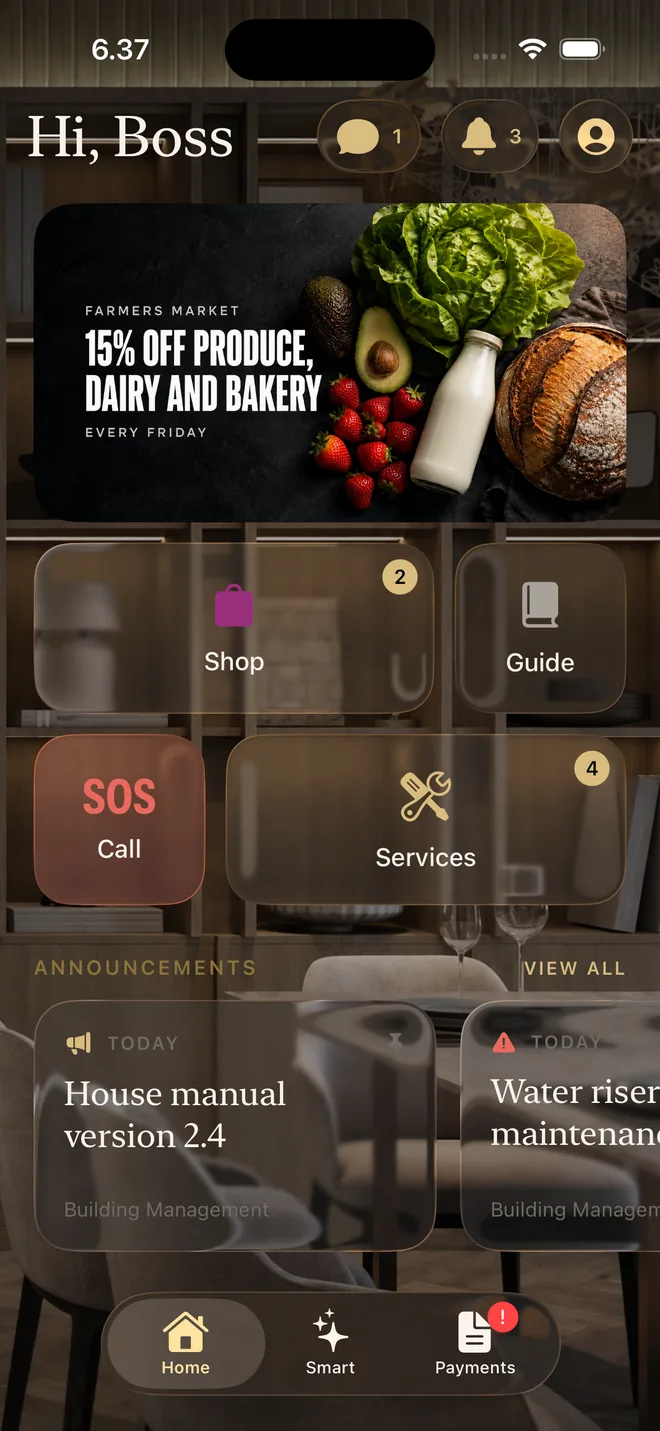
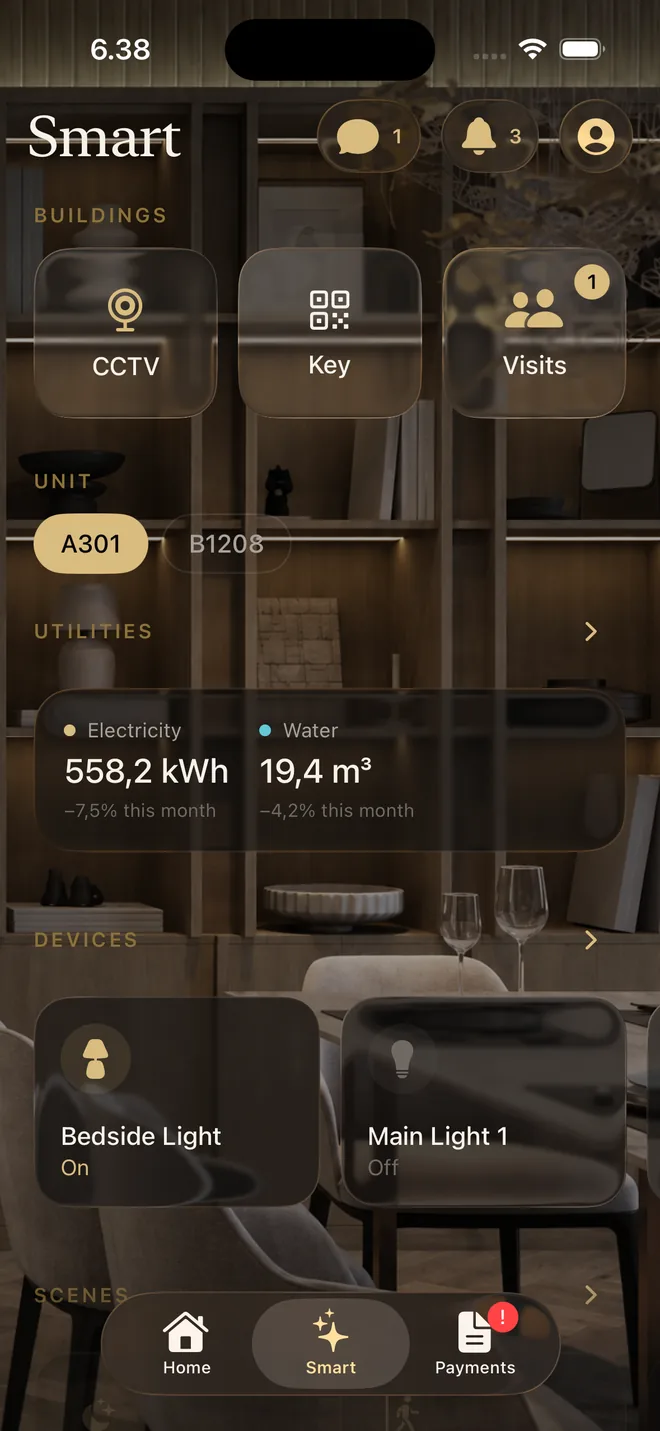
The mockup gave every feature its own tab, eleven in all. I kept every feature but grouped them by what the person is doing, so the resident app has three tabs, Home, Smart and Payments, and the dashboard has five pages and a front desk mode.
02 System design
Both apps talk to one backend only, the apartment API. It signs people in with Firebase Authentication, keeps everything about the apartment in its own Postgres, from accounts and units to tariffs and the ledger, and charges each payment through Xendit, a payment gateway.
Everything smart sits one level below it, on a private smart hospitality platform built to serve other buildings too. The platform knows spaces and devices but never people. The apartment only tells it what each person may do, under an ID that means nothing outside the apartment, and the platform keeps those grants in its own Postgres.
The platform reaches every device through Tuya Cloud, the cloud behind many brands of smart devices, from the lights and curtains in the units to the relays that open the doors, gates and lifts. At every entrance a reader passes what it read to a local controller, which asks the platform whether to open, and opens the relay on its own when the network is down.
Both backends are written in Go on open source libraries of mine. Both use api, which writes every response and error the same way, and the platform also uses tuya, which signs every request to Tuya Cloud and renews its access token when it expires.
03 Smart devices control
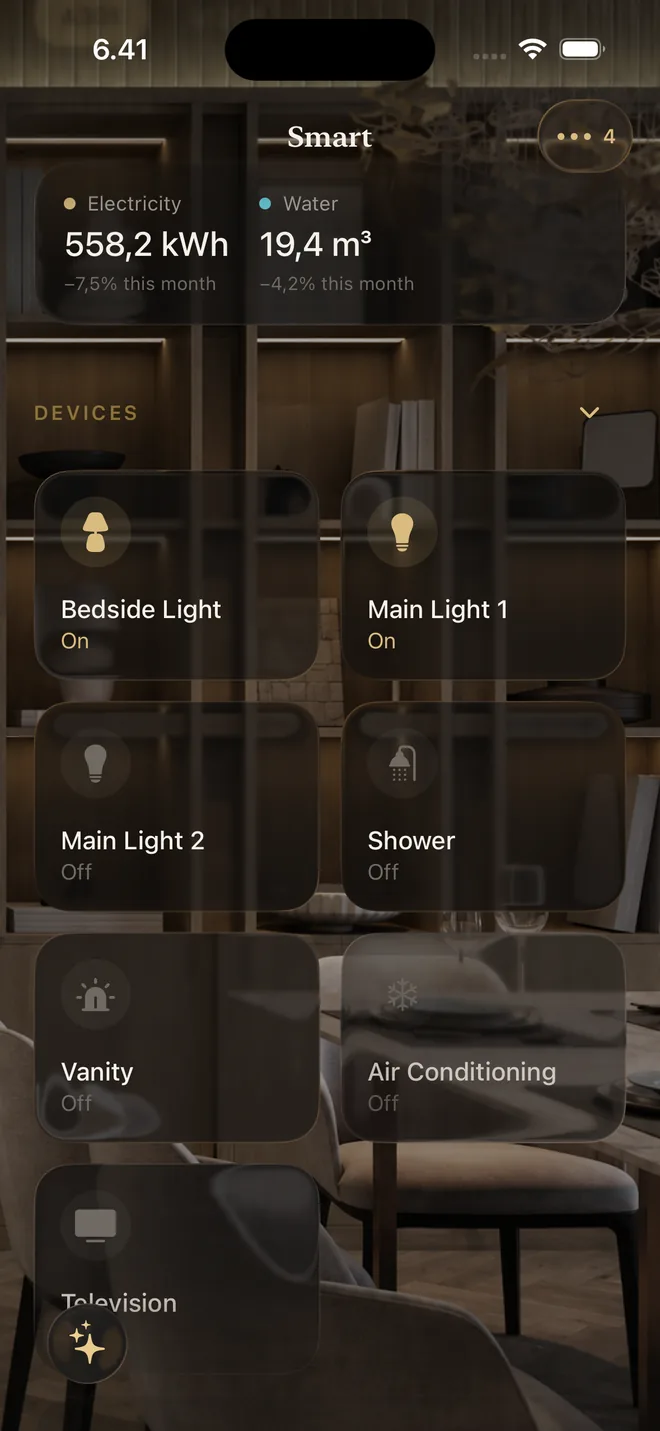
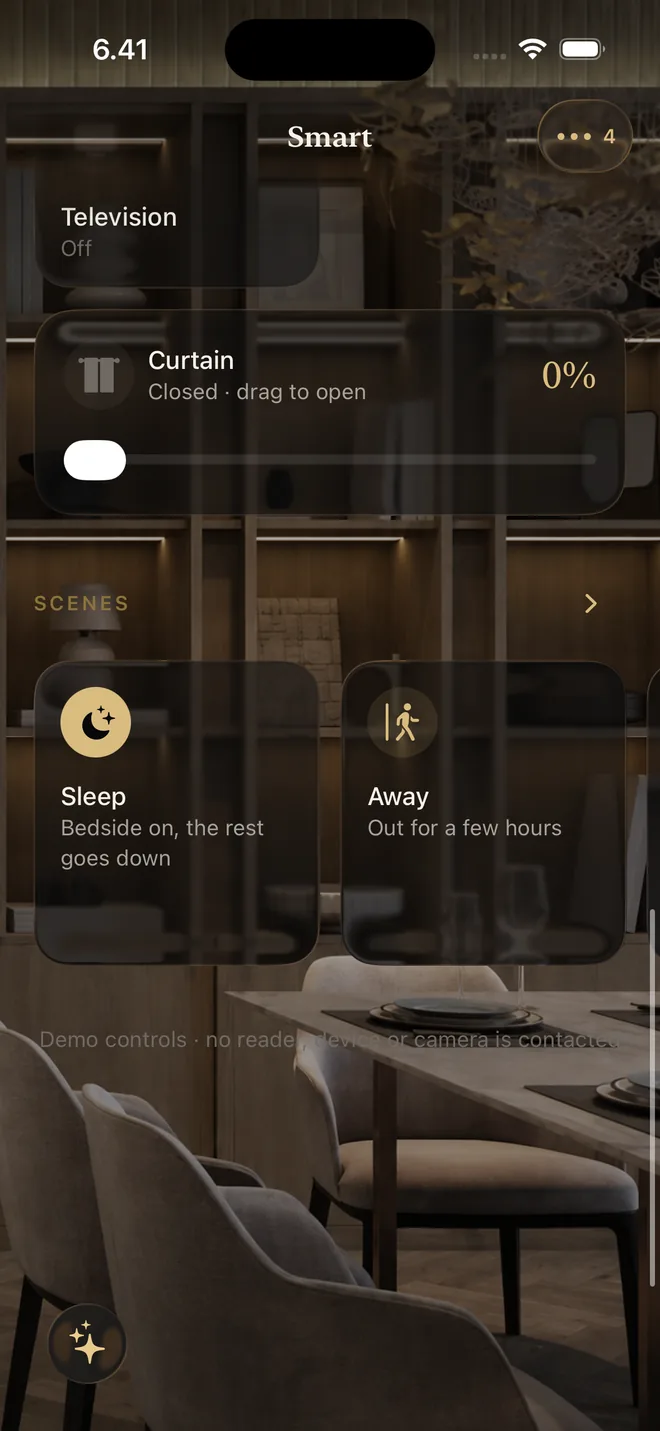
In the Smart tab of the resident app, residents control the smart devices in every unit they belong to, like the lights, the curtains and the air conditioner, and run scenes that set several of them at once.
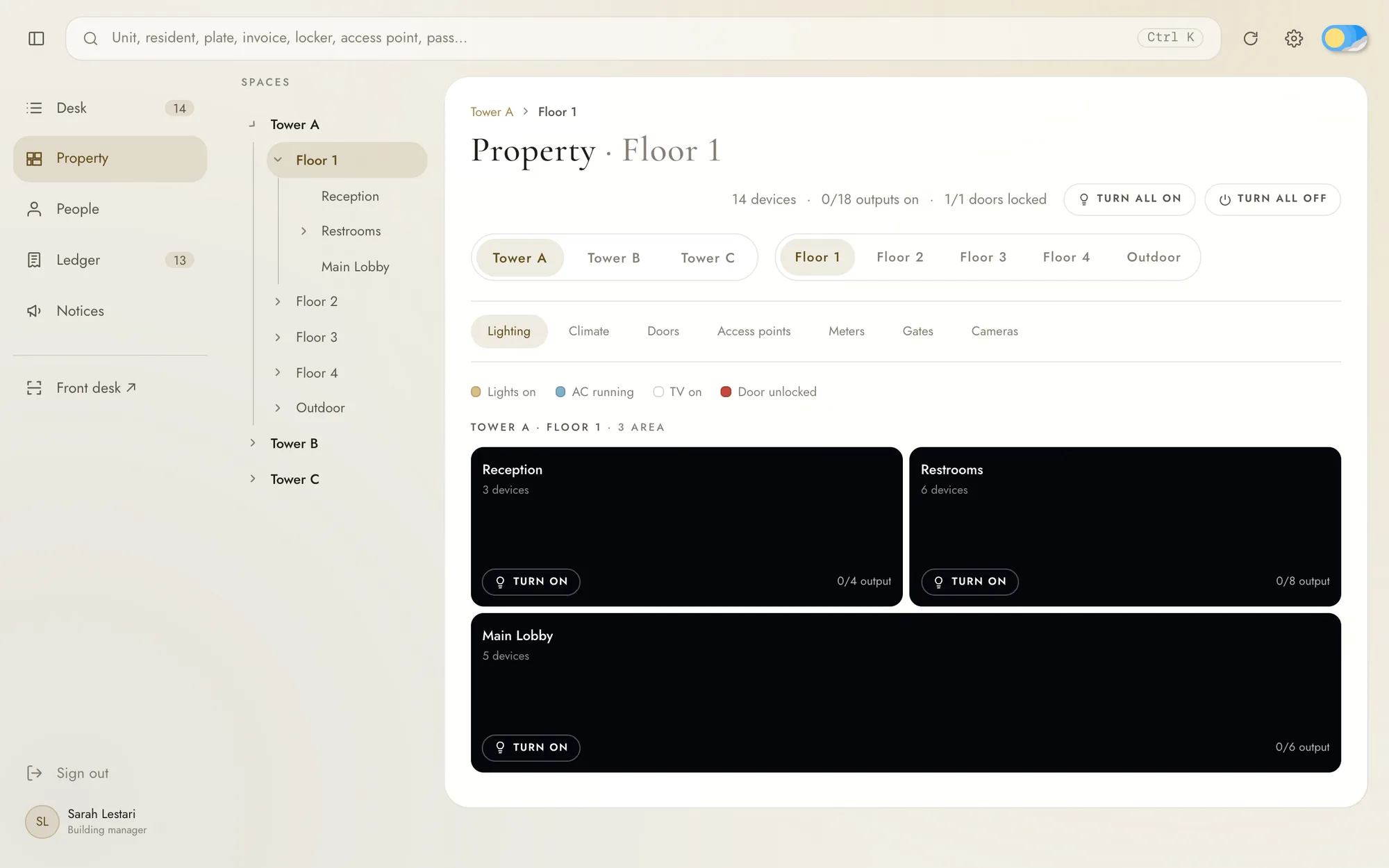
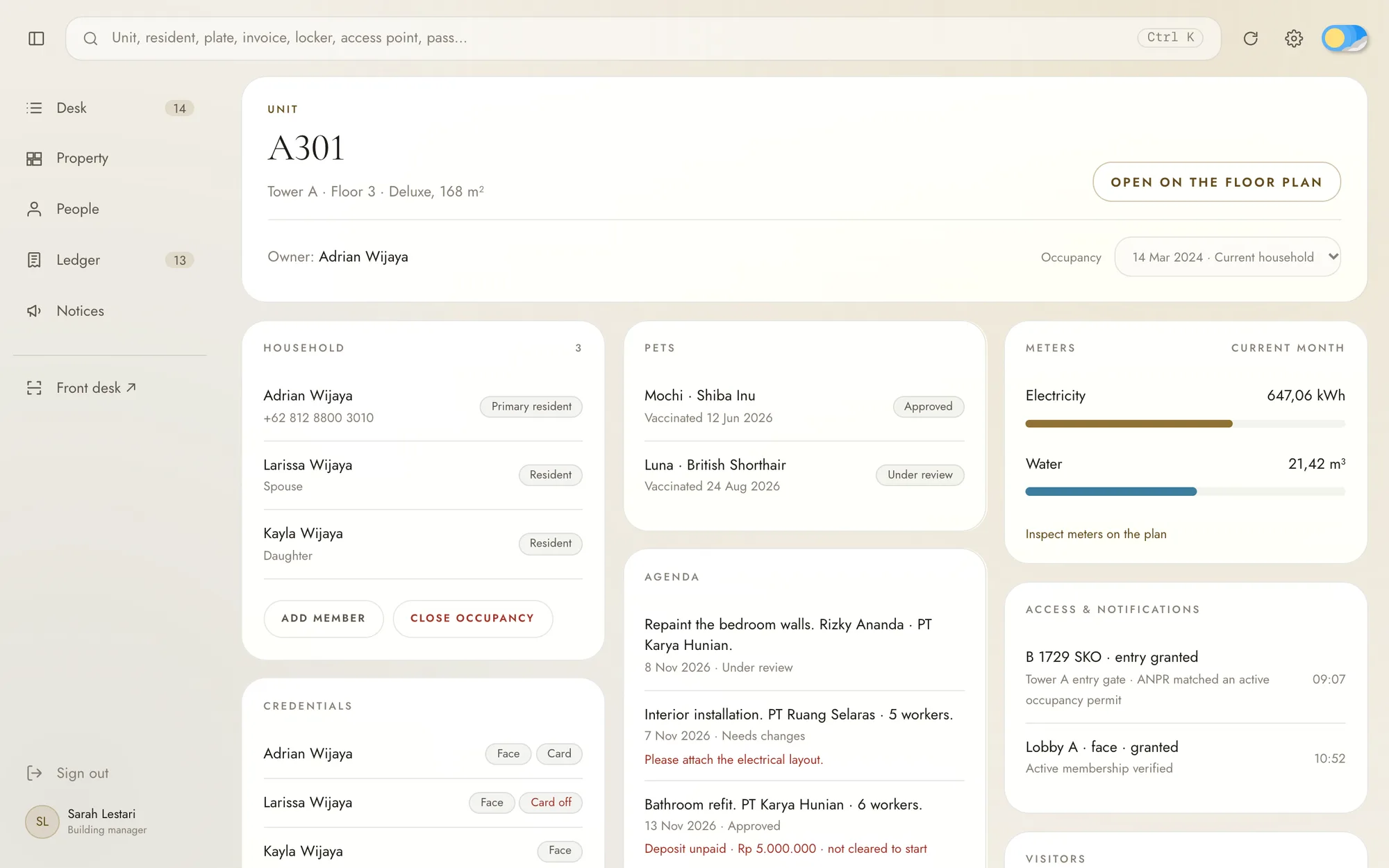
On the Property page of the dashboard, the staff control every device in the building, both those inside the units and those in shared areas like the lobby and the corridors.
04 Accounts and units
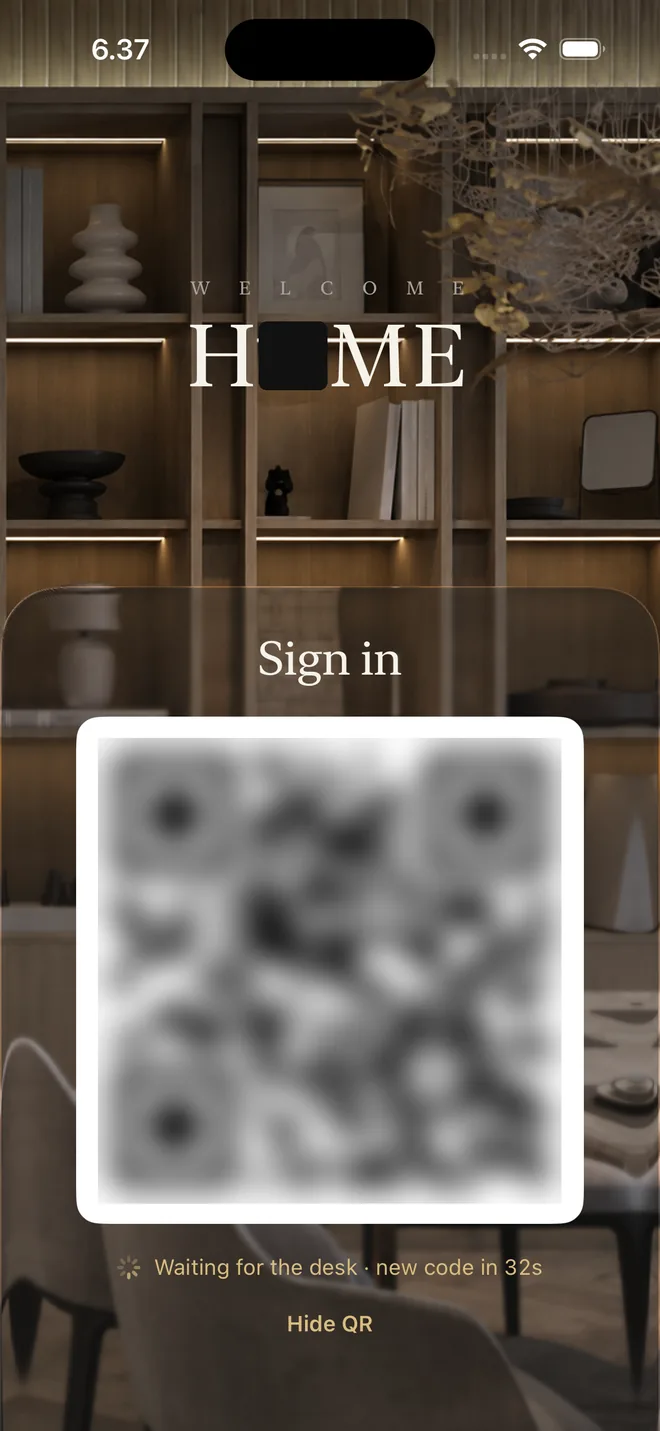
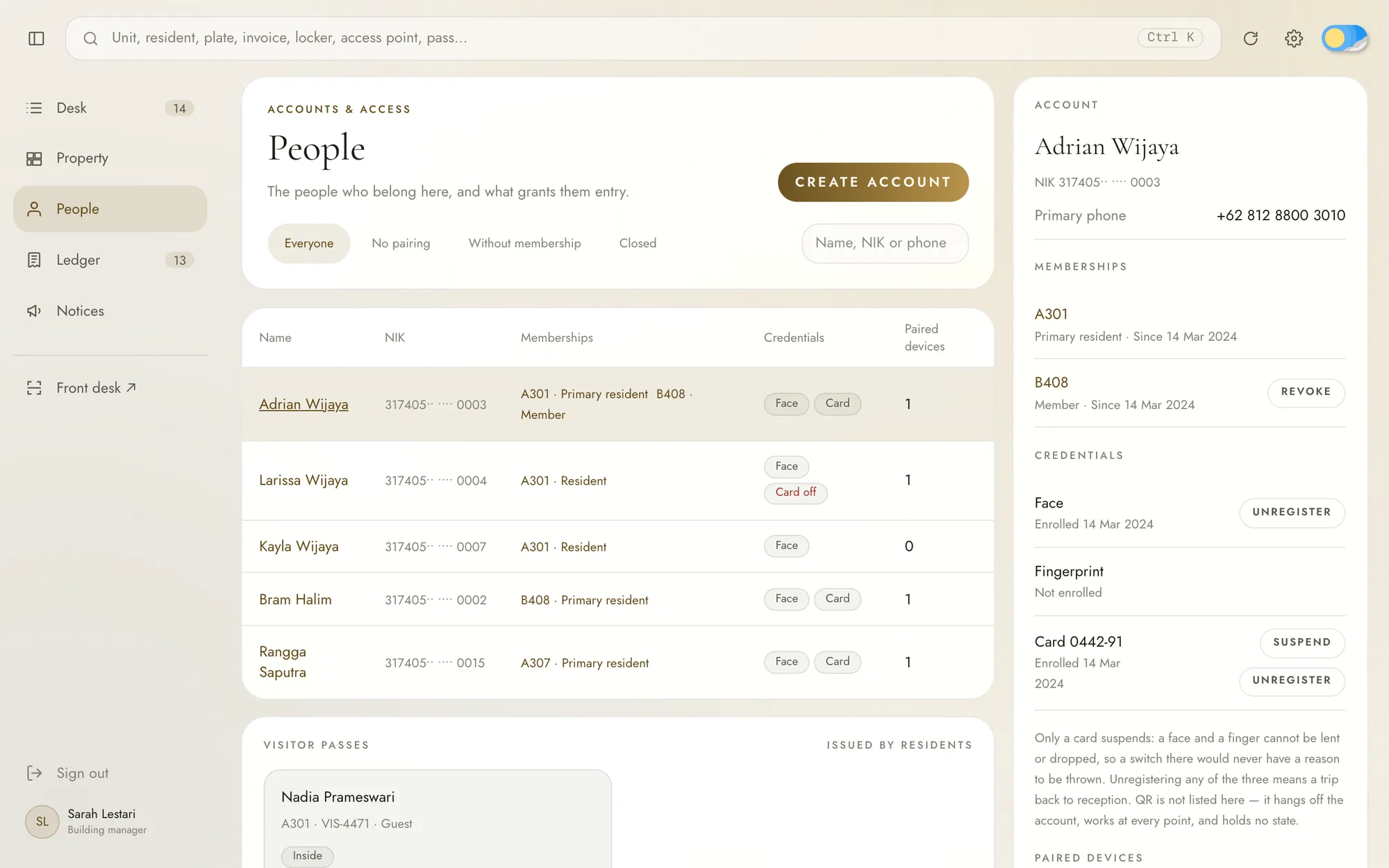
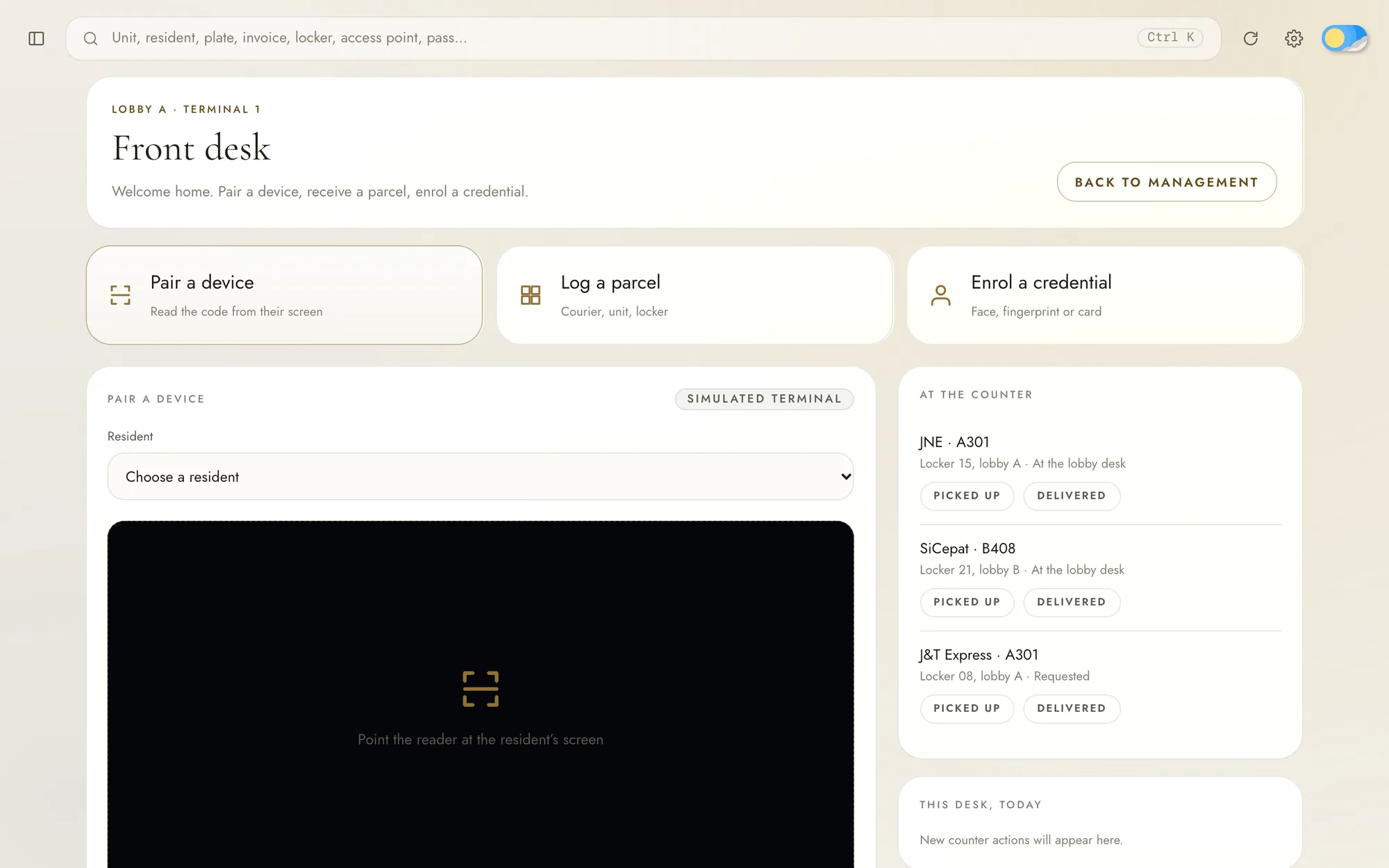
Residents never sign up and never set a password. The staff create each account and tie it to the person's national ID number. To sign in, the resident opens the app at the front desk, where it shows a QR code. The receptionist checks who they are and scans the code, and the phone is paired to their account. A password that never exists cannot leak, be shared or be forgotten.
The phone shows the code and the desk reads it, not the other way round. A code on a screen facing the lobby could be photographed from across the room and used to sign in as someone else.
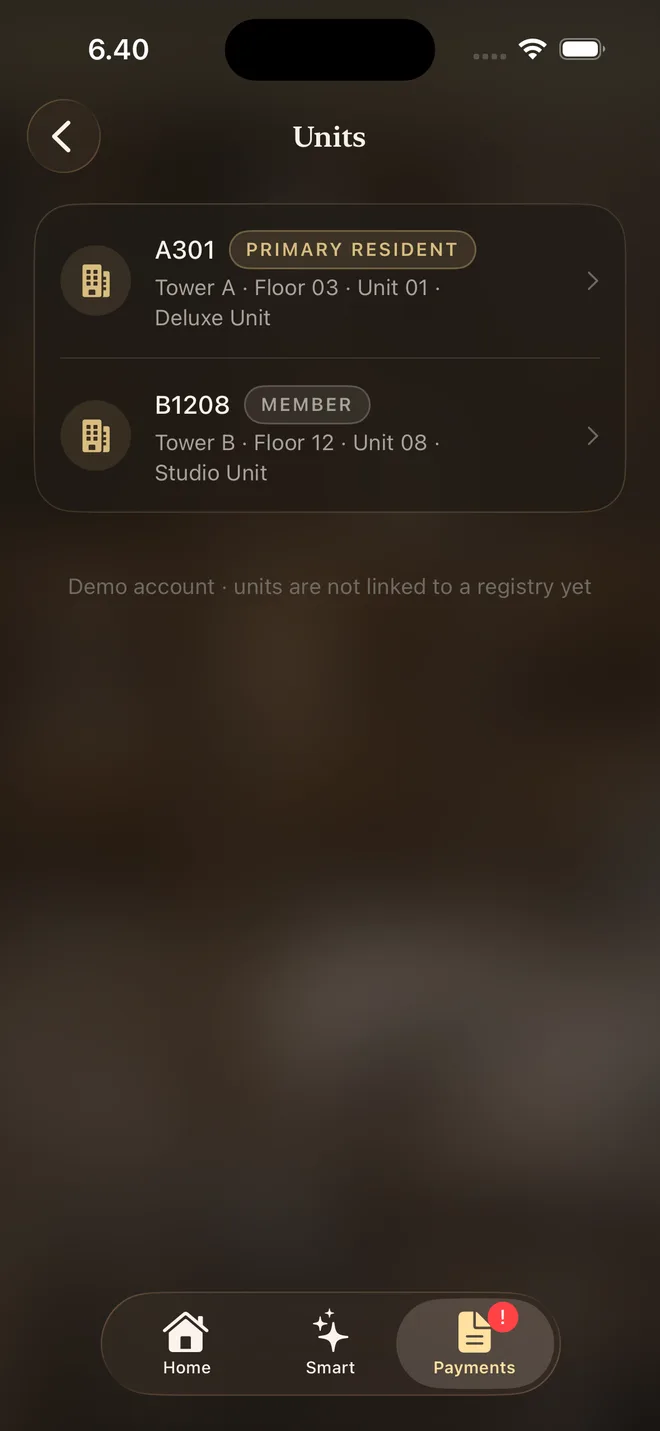
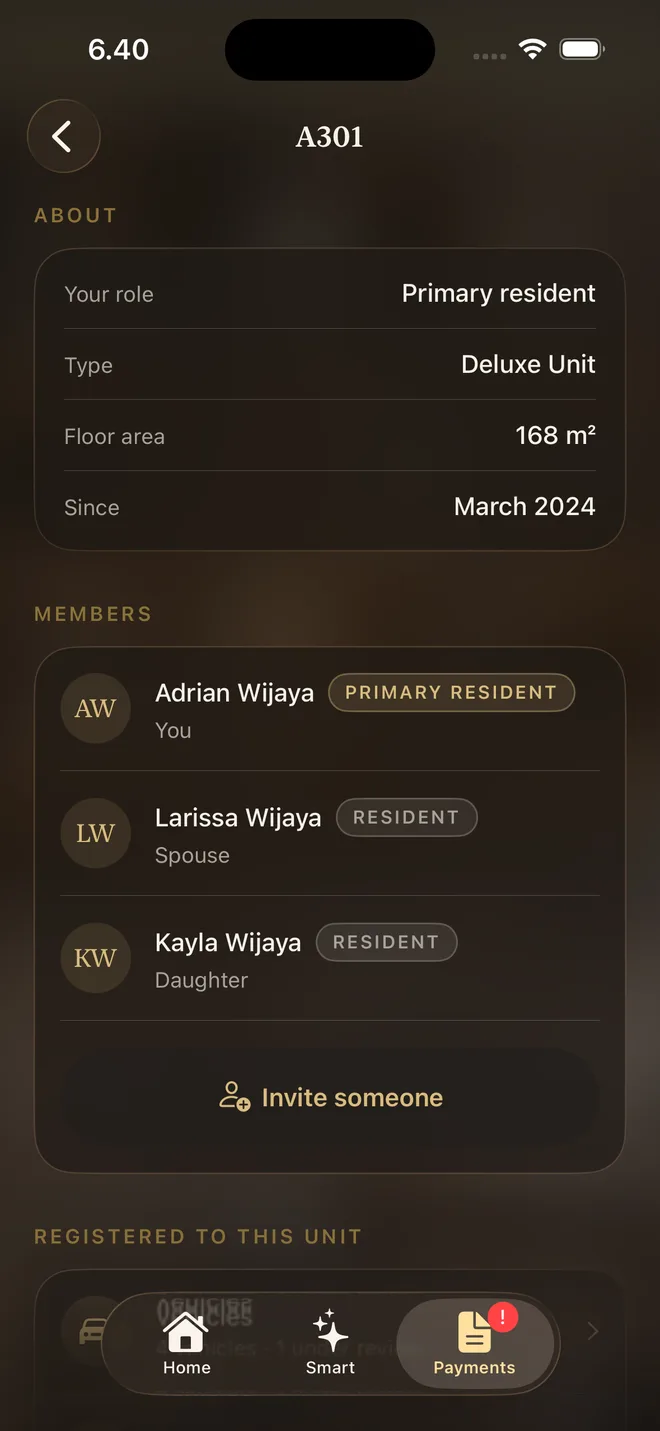
An account is a person and a unit is a place, and a membership connects the two. One person can be a member of several units, and the app lets them switch between them. Each unit has one primary resident, the head of the household, whether they own the unit or rent it, and the other members, like a spouse or children, belong to it through them. Who owns a unit is recorded separately, because the owner does not always live there.
Each household's stay in a unit is an occupancy. When the whole household moves out, the staff close it, and every membership, vehicle and pet permit, and visitor pass from that stay ends at once. The next household starts a new occupancy, even on the same day, and sees nothing from the one before, while the unit keeps the full history for the staff. A member who leaves alone only loses their own membership, and their account stays.
The smart devices run on a platform built to serve other buildings too, and it never learns who the residents are. The apartment only tells it what each person may do, such as switching the devices in A301 until their stay ends, with the person known by an ID that means nothing outside the apartment. Closing an occupancy takes back everything it allowed, so the household loses control of the unit at once, while the staff keep theirs.
05 Access control
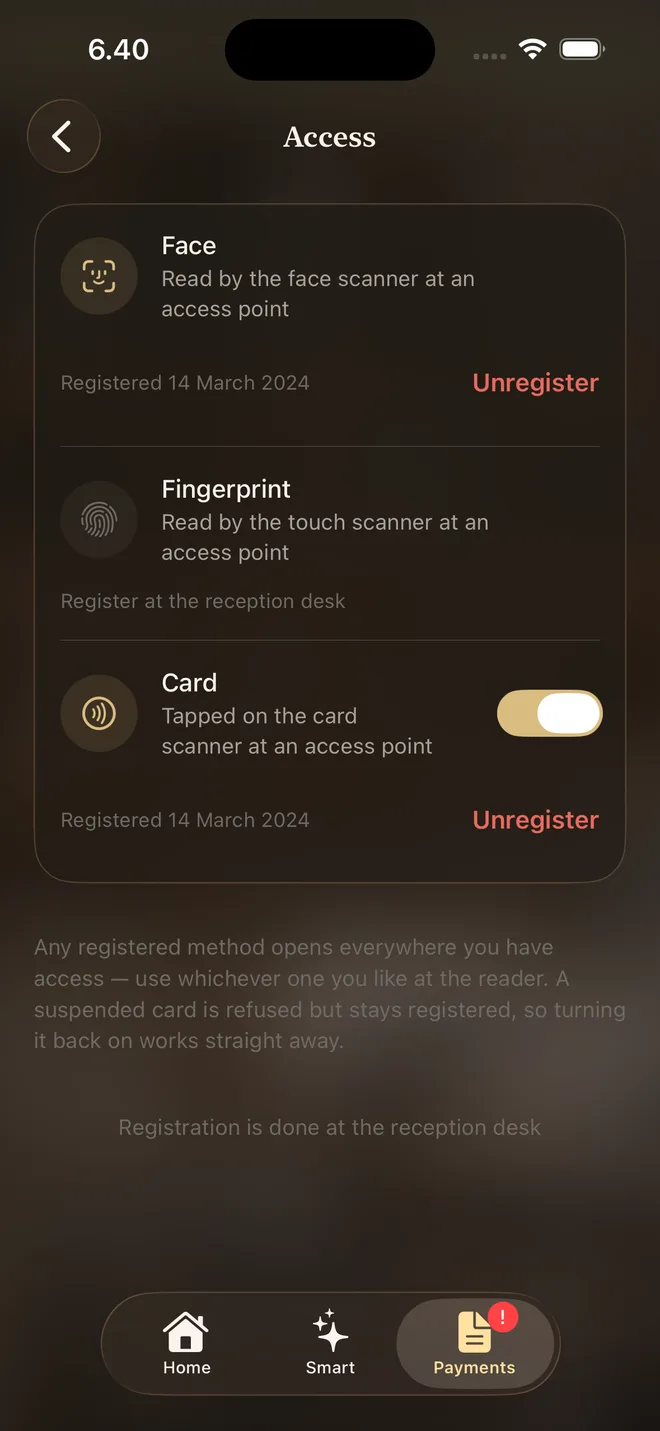
Every entrance in the building, from the gates and lobby doors to the lifts and facility doors, has a reader that accepts a face, a fingerprint, a card or a QR code. Faces, fingerprints and cards are registered at the front desk, and the phone never reads any of them.
The reader sends what it read to the server, which checks the person's memberships and decides whether the door opens. Where someone may go depends on their memberships, never on the method they used, so a face and a card open the same doors.
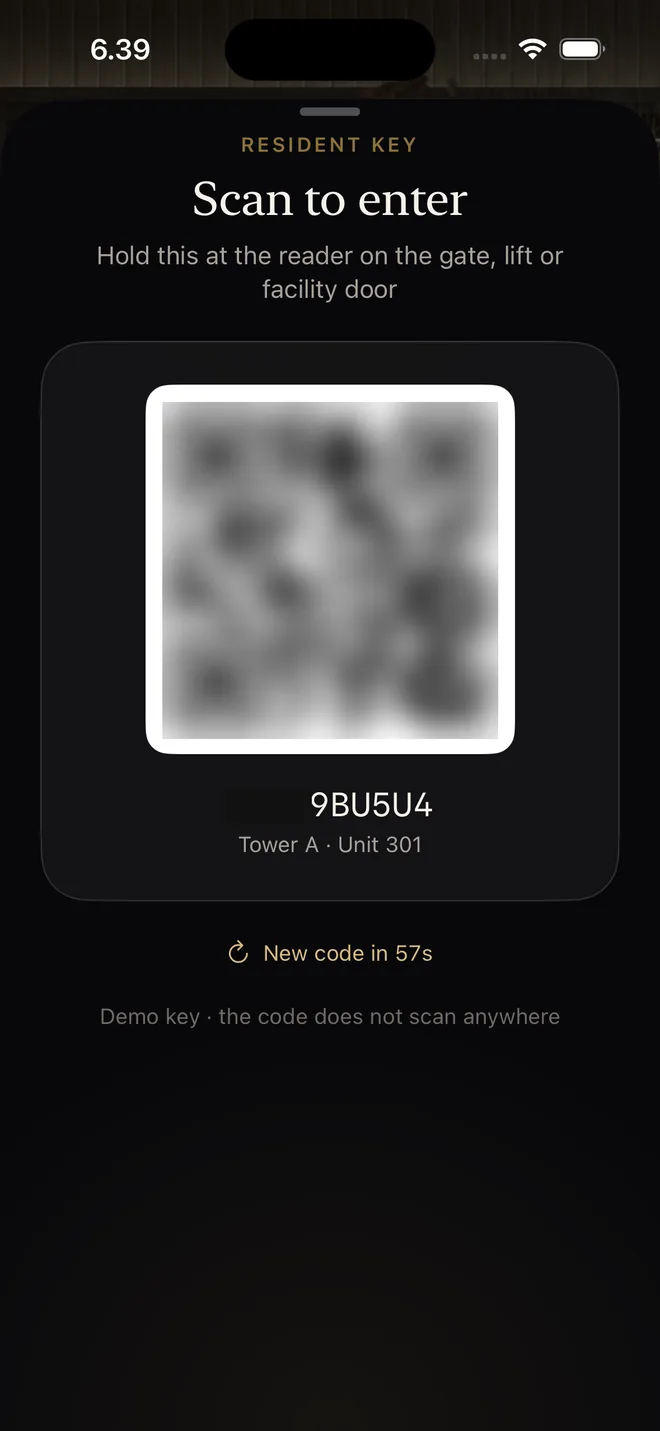
In the app, the resident's key is a QR code that changes every minute, so a screenshot stops working within a minute instead of becoming a permanent key. The resident never picks a door in the app either, because the reader already knows where it is.
A card can be lost or lent, so the resident or the staff can suspend it and turn it back on without registering it again. A face or a finger cannot be lent, so it can only be removed.
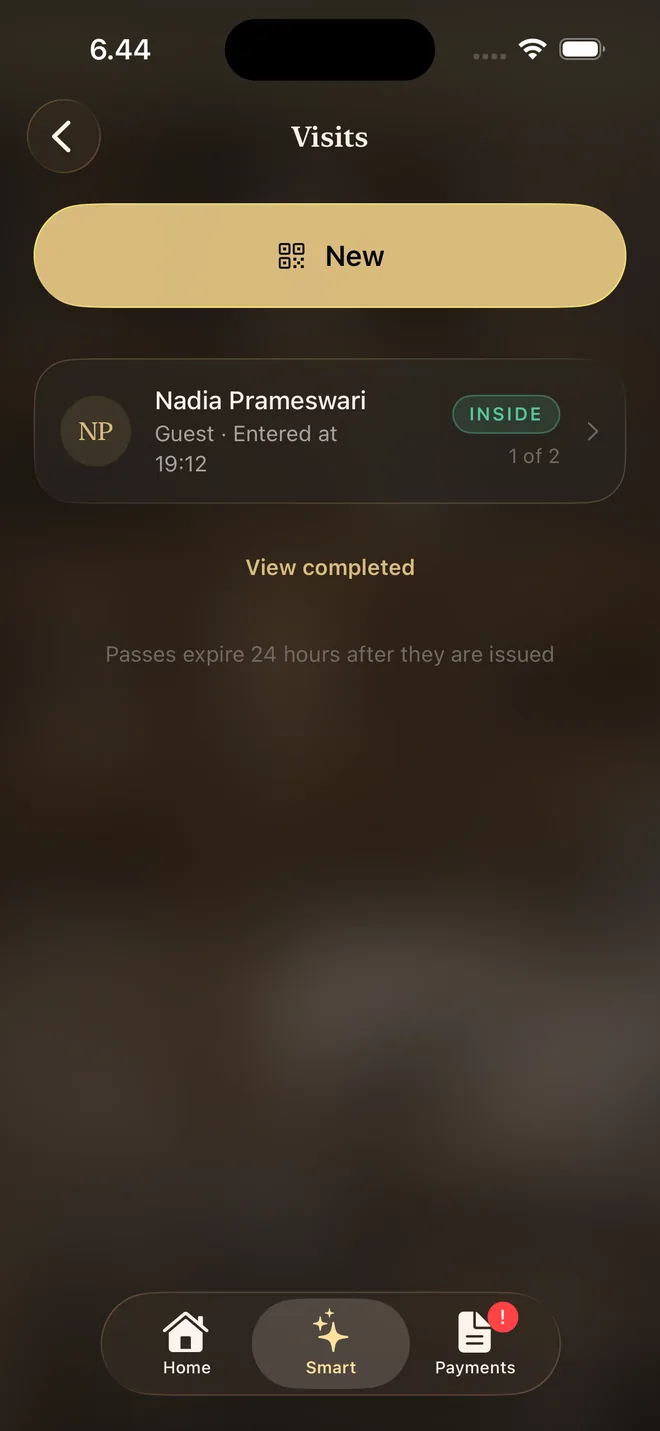
Guests get a pass from the primary resident, shared as a link to a QR code. Workers like an air conditioner technician are not guests. The resident writes their visit in the unit's agenda, and the lobby staff match them to it and show them up, so nobody has to teach a technician to use a QR code.
If the network or the server goes down, the staff open doors with an emergency card that the controller at each door keeps.
06 Payments and billing
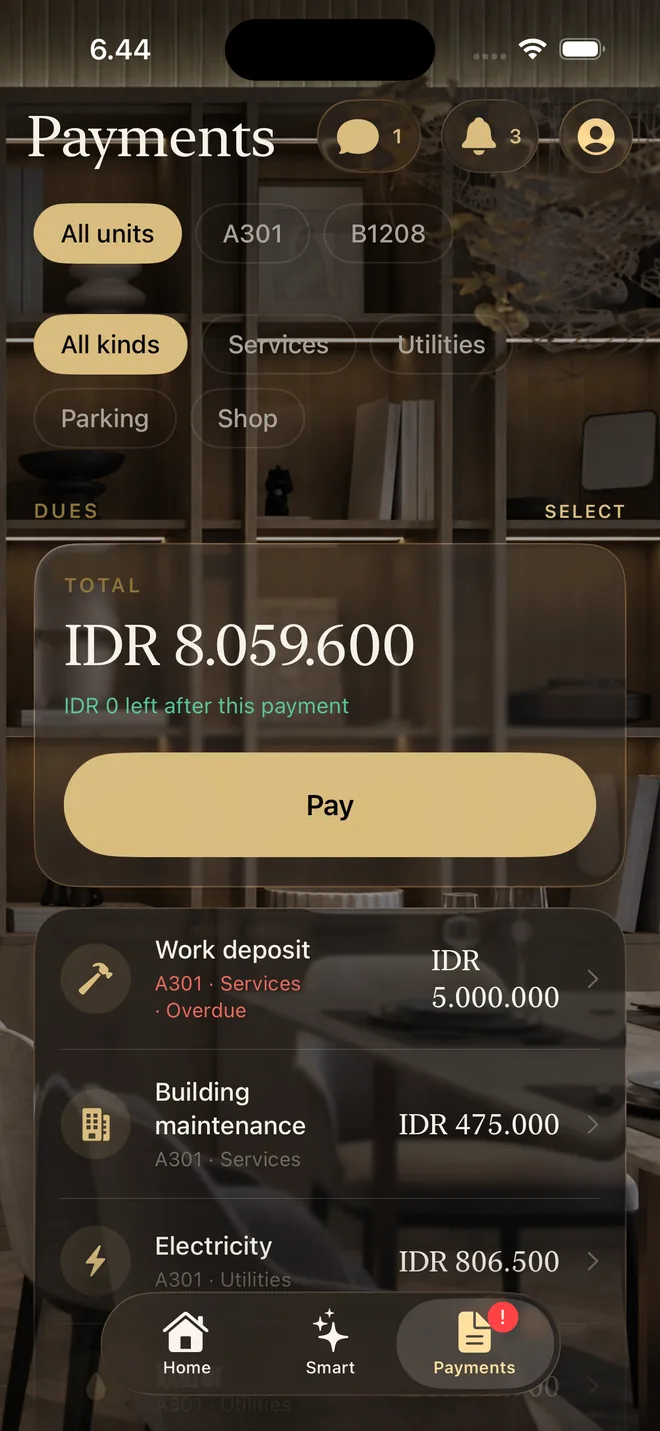
Everything a resident owes, across all their units, is in the Payments tab, sorted into services, utilities, parking and the shop.
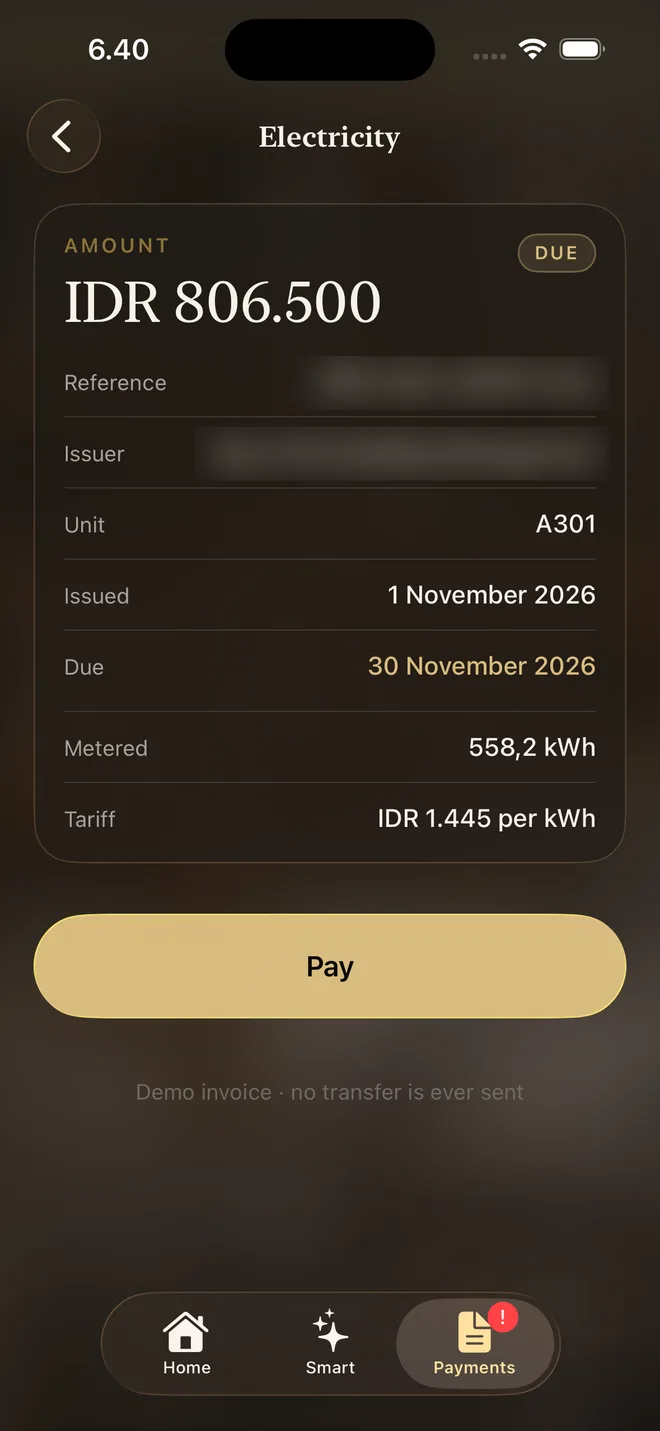
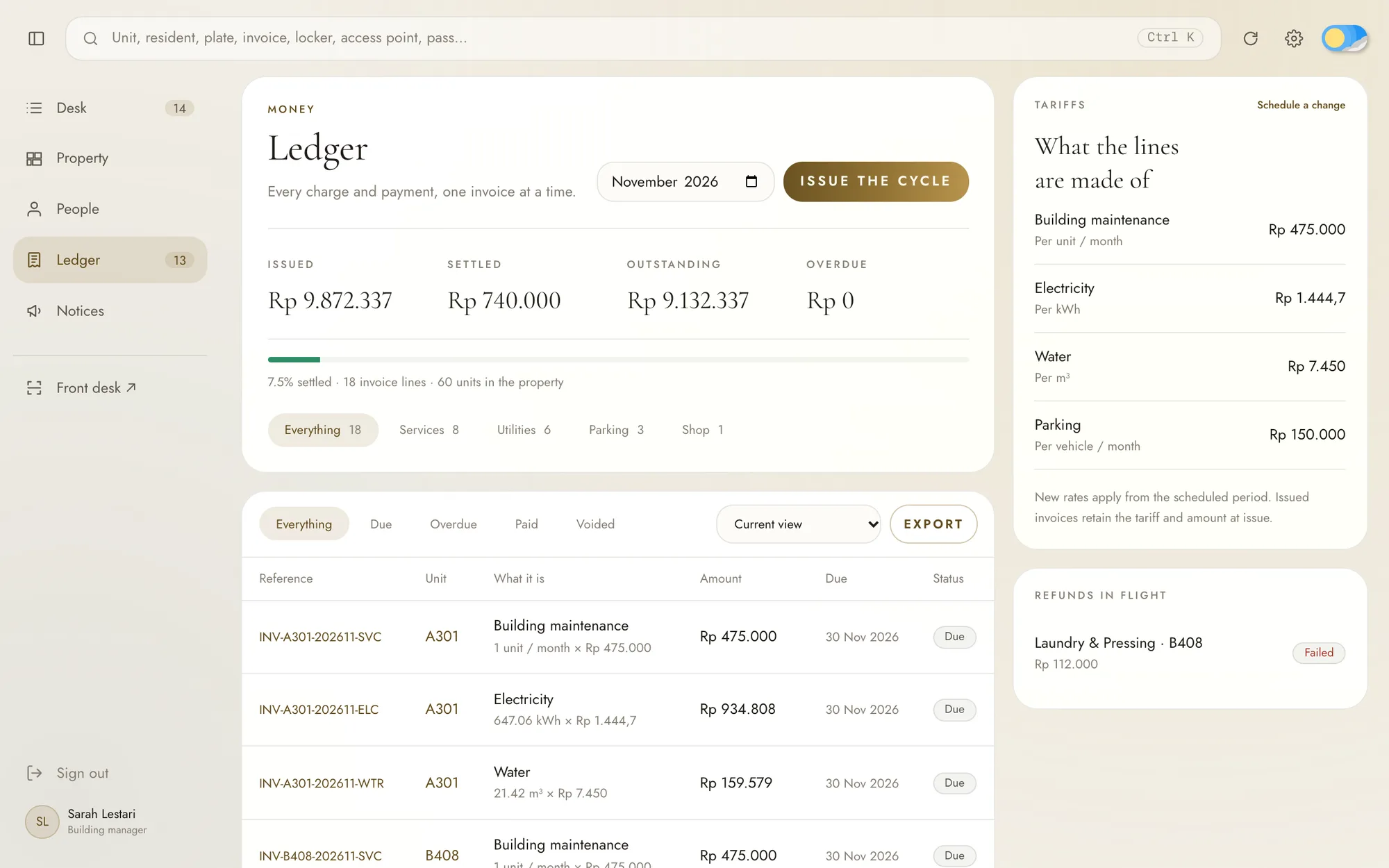
Each charge is its own line that can be paid or left on its own, so a laundry bill in dispute does not hold up the electricity. Every line says what it is for without a call to the office. Electricity shows the kilowatt hours and the rate, water shows the cubic metres, parking shows the plate number, and the maintenance fee shows its month.
Residents pay each line directly with QRIS, Indonesia's national QR payment standard, an e-wallet or a virtual account. Credit cards are left out, since few residents here use them.
The staff see the same lines in the Ledger on the dashboard and issue them every month. Prices come from tariffs, and a new tariff applies only from a period the staff schedule, so an invoice already issued keeps the price it was issued with.
A free service still appears as a paid line of Rp0, so residents see that it was free rather than missing. A cancelled service that was already paid becomes a refund tied to the original payment, and a refund that failed stays on the staff's list until someone resolves it.
07 Additional features
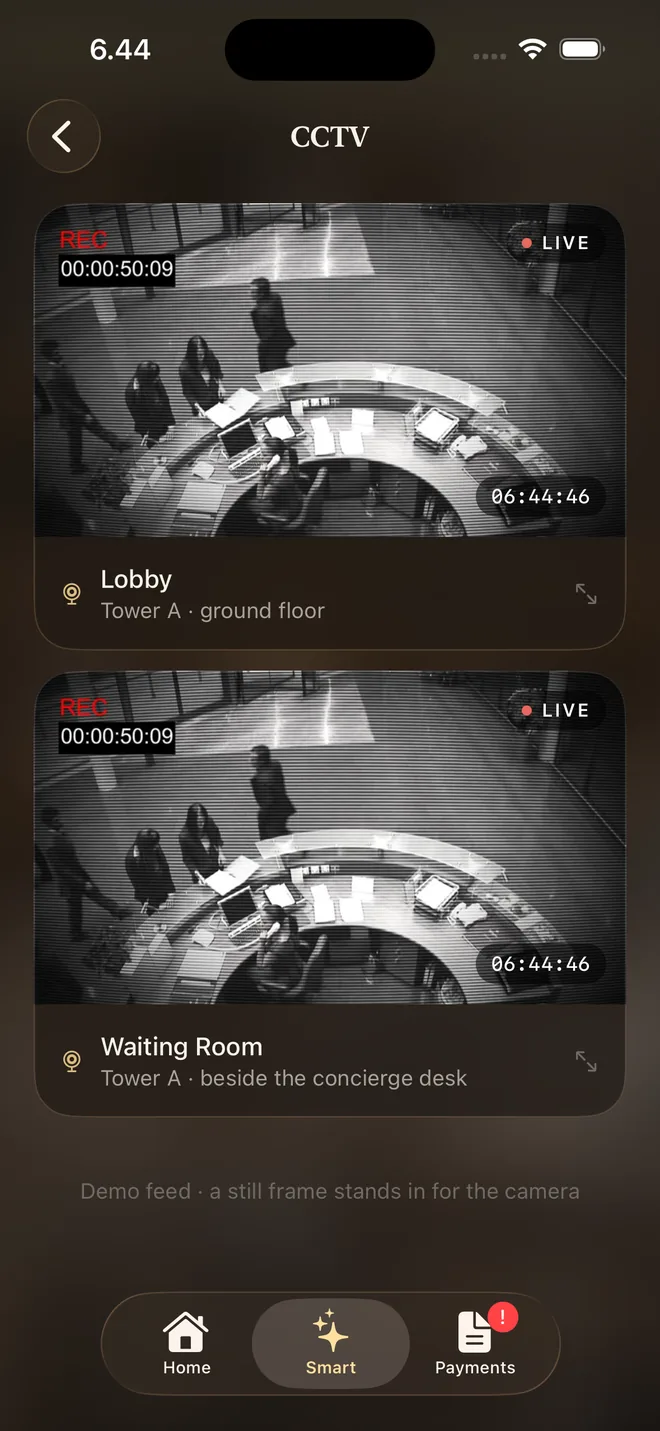
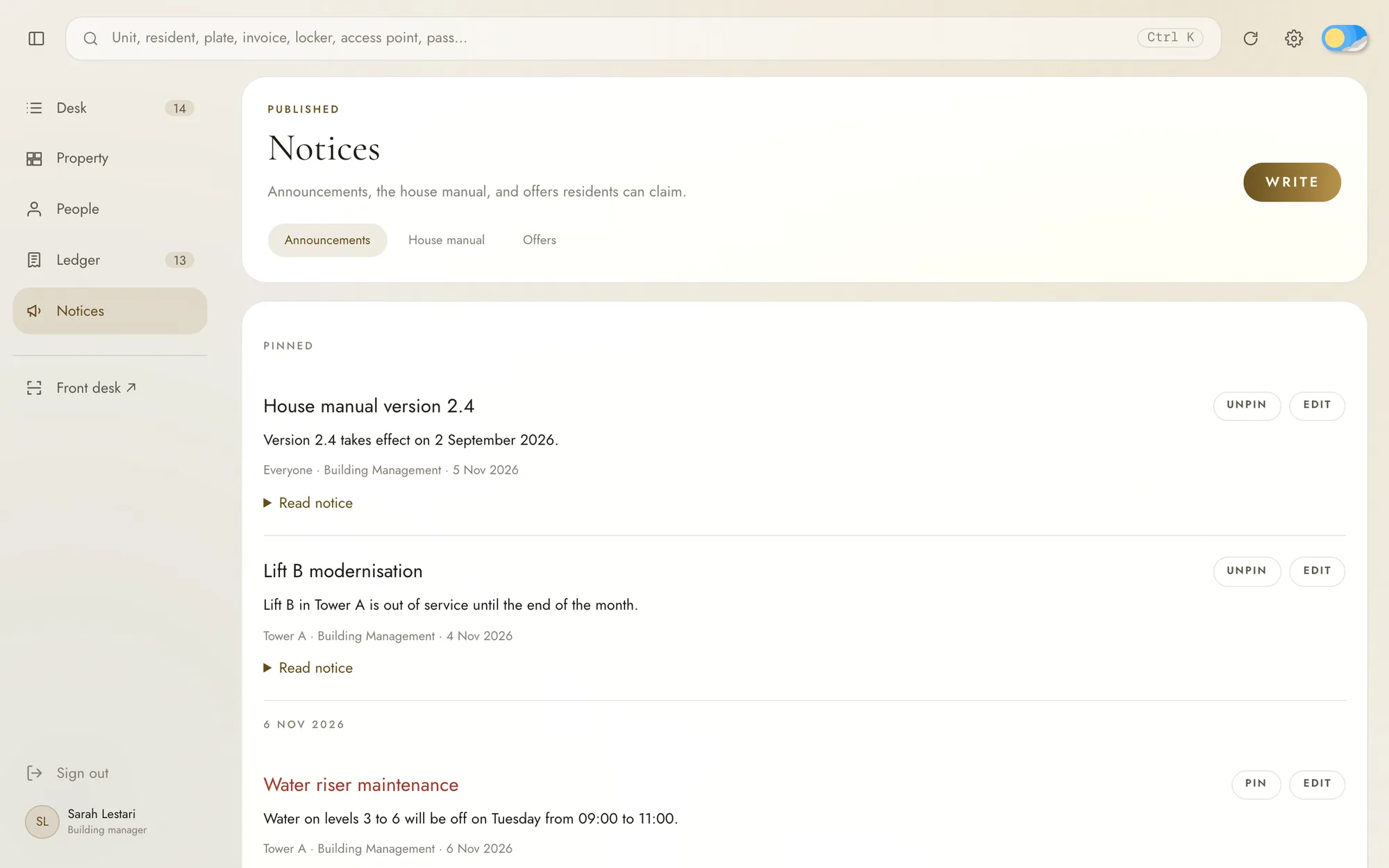
Home in the resident app holds the rest of daily life in the building. Announcements keep long-running notices, like a lift out of service until the end of the month, pinned above the rest. The house manual puts the building's rules and its FAQ in one document. The shop sells products from merchants inside and outside the building, and residents can watch the lobby cameras from the app.
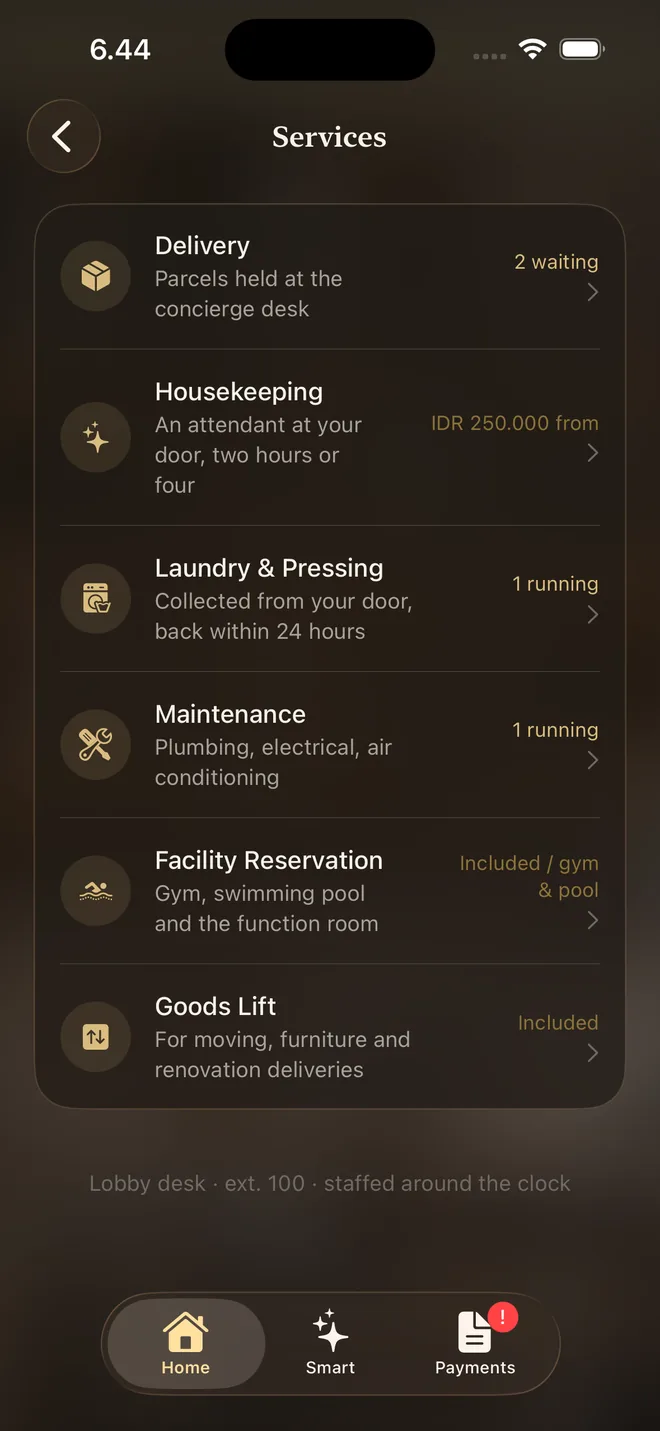
Services covers laundry, housekeeping, maintenance and booking the goods lift for moving in or out. Parcels are logged by the lobby desk when they arrive, so residents type nothing and only tap Bring it up now when they want one brought to their door.
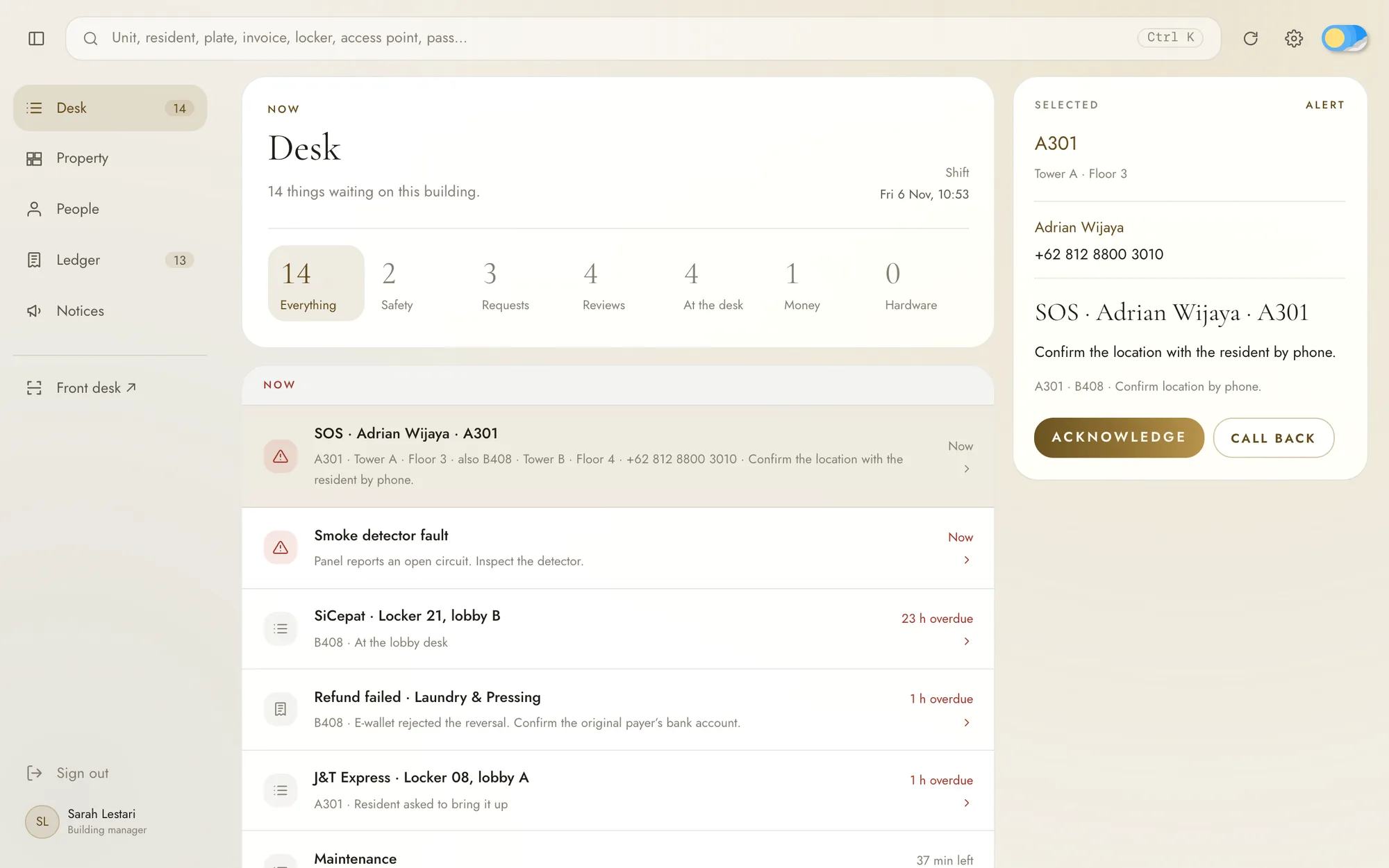
SOS is a single button. It sends every unit and floor of the resident to the staff, who confirm where the emergency is by calling back, so the resident never has to choose a type of emergency first.
On the dashboard, the Desk is one queue of everything waiting on a staff member, from an SOS call to a parcel left too long at the lobby, a failed refund or a maintenance request, each handled in a side panel without leaving the queue. The staff publish announcements and the house manual from the Notices page, and the search bar finds anything by name, so typing a plate number brings up the vehicle, its unit, its parking invoice and the last time a gate read it.
Undisclosed Apartment
Residents enter the building and run their unit from one iOS app, and the staff run the same building from one queue on the web